Build your Black Friday TikTok Shop video ideas around a specific buying decision: a fragrance gift for someone with a known taste, cookware for a person who enjoys cooking, or storage for a home that needs organizing. Show the product early, explain the relevant detail, and give viewers one reason to open the product card. Moras can help you choose a product, create the video, and publish after your review.
Below are three existing Moras-generated product videos, each paired with a newly written Black Friday script and shot plan. The clips show production formats, while the seasonal scripts are suggestions for new videos. They have not been tested for sales, and the examples do not establish a current discount or product availability.
Start with the Buying Reason, Then Add the Offer
Black Friday gives your video a timely context. The product still needs a clear role in the viewer's life. A fragrance video can help someone choose a gift, a cookware video can show how a pot fits a meal, and a storage video can make the organizing task easy to recognize.
For 2026 planning, the TikTok Shop US seller guide lists its BFCM campaign as November 11–30, in Pacific Time. As checked on October 14, 2026, that is the seller campaign window. Individual product offers and creator activities may have different dates. Confirm the offer attached to your selected product before calling it a Black Friday deal.
Choose one of the three formats below and adapt it to a product you can actually promote. For the broader calendar and selection process, plan your Black Friday affiliate workflow.
Fragrance Gift: Help the Viewer Choose for One Person
The existing fragrance clip uses a presenter holding a black-and-gold bottle close to the camera. The product remains recognizable while the presenter gives the video a conversational format. That format can support a gift idea when the script explains who the fragrance suits.
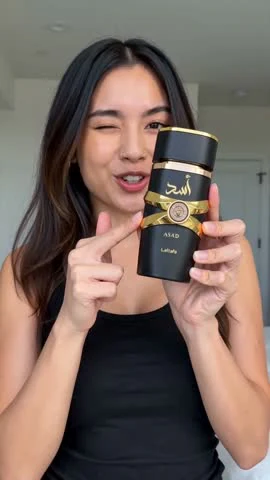
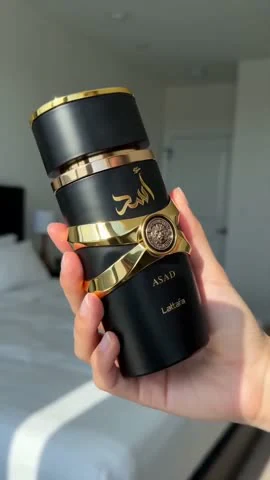
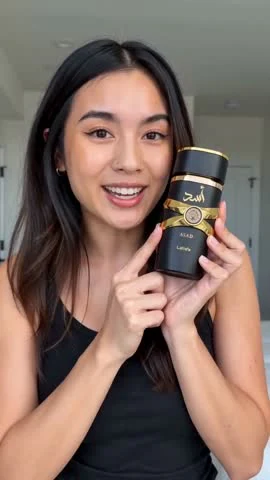
Black Friday angle: a fragrance gift for someone who already enjoys a particular scent family. Use the selected listing's actual notes to make the gift recommendation specific. A bottle close-up can show packaging, but it cannot establish scent quality or how long the fragrance lasts.
Suggested script for a new video:
Replace the bracketed fields with verified details before creating the video. If you cannot confirm the notes, choose a packaging or size comparison instead of guessing how the fragrance smells.
Shot plan:
- Opening: introduce the gift recipient and show the bottle immediately.
- Middle: bring the bottle and packaging closer, with accurate notes and size information where they can be read.
- Ending: show the same product again and direct the viewer to its product card.
Another opener to test is “A fragrance gift for someone who loves [verified scent family].” Keep any presenter narration free of invented personal experience. “I wear this every day” needs a real basis.
Cookware Gift: Build the Story Around a Meal
The existing cookware clip shows a blue lidded pot on the stove and a finished dish inside it. That gives you a concrete visual sequence: introduce the cookware, show a cooking scene, and end with the meal. The gallery labels this example “Ceramic Pan,” but your own video's product name and material should match the selected listing.
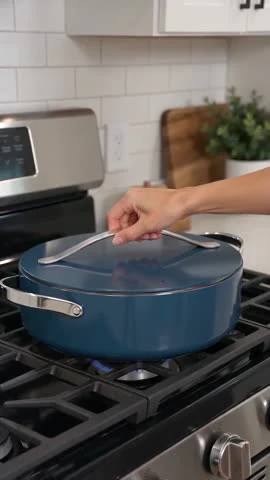
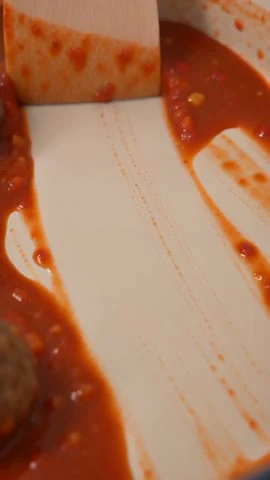
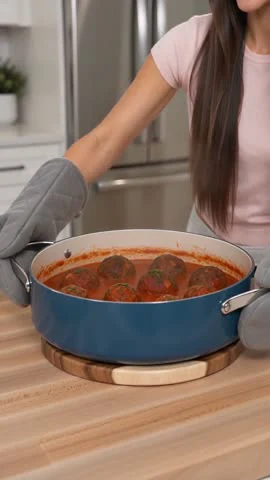
Black Friday angle: a useful gift for someone who enjoys making family dinners. The meal gives the viewer a recognizable use case. Match the depicted cooking method, lid, handles, and product size to the item you are linking.
Suggested script for a new video:
This is a suggested gift script, not a report that the depicted cookware has passed a performance test. Claims about oven use, stovetop compatibility, coating, or dishwasher safety need support from the selected product's details.
Shot plan:
- Opening: show the cookware in a recognizable dinner setting.
- Middle: use a supported cooking scene and a close-up of the meal. Keep the cookware's shape and accessories consistent.
- Ending: return to a clear view of the linked product and give one product-card action.
You can also try “Shopping for someone who loves a cozy dinner at home?” Keep the buying reason visible throughout the clip. A readable cooking sequence gives the viewer more to consider than a discount graphic alone.
Home Organization: Make the Task Visible
The existing storage clip begins with clothing spread across a bed and ends with folded clothes in stacked storage boxes. The opening makes the organizing task recognizable, and the final view helps explain how the containers are used.
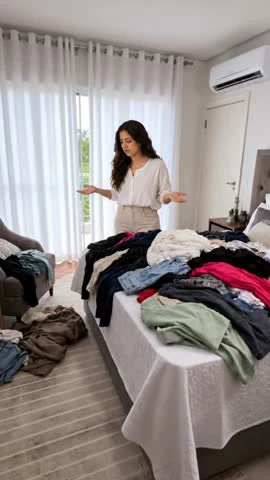
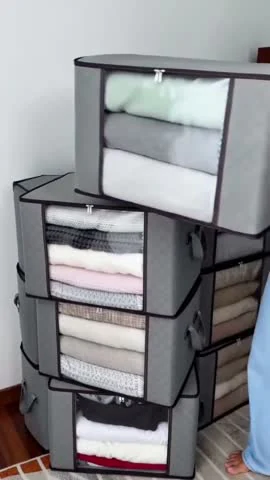
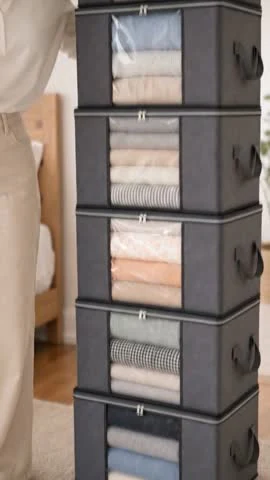
Black Friday angle: a home-organizing purchase for someone sorting seasonal clothes or making room before guests arrive. Choose the task first, then select a container whose dimensions, quantity, and intended use fit it.
Suggested script for a new video:
The visual sequence illustrates an organizing idea. Confirm that your selected product supports the arrangement shown. Do not turn a short before-and-after edit into a claim that the boxes fold clothes or complete the work instantly.
Shot plan:
- Opening: show the specific clutter the video will address.
- Middle: show clothing placed into the selected containers, with the product quantity kept accurate.
- Ending: show the organized space and direct viewers to the matching size and pack.
An alternative opener is “Where will the seasonal clothes go before guests arrive?” Use that version when the audience and timing make the hosting scenario relevant. The article's three examples are options to adapt, not a ranking of products likely to sell.
Add a Black Friday Offer When It Is Confirmed
The scripts above can work as gift or use-case videos without asserting a discount. When your selected item has a confirmed, active offer, add the price information to the same product story.
Suggested offer template:
Fill in the fields from the current product card. Mention an end date only when it is confirmed for that offer, including its time zone where needed. Before the offer starts, use the gift or use-case version. A general campaign announcement does not make every product discounted.
If an offer changes, update or replace the affected video. Keep a simple record of the product, variant, price, conditions, and the date you checked them. That makes it easier to identify which posts need attention.
Create and Publish Your Version with Moras
Start in Moras with a ready-to-post video that matches your audience, or choose a product from the product library to create a new video. The three clips above show existing production formats, but you should confirm which products and videos are currently available to your account.
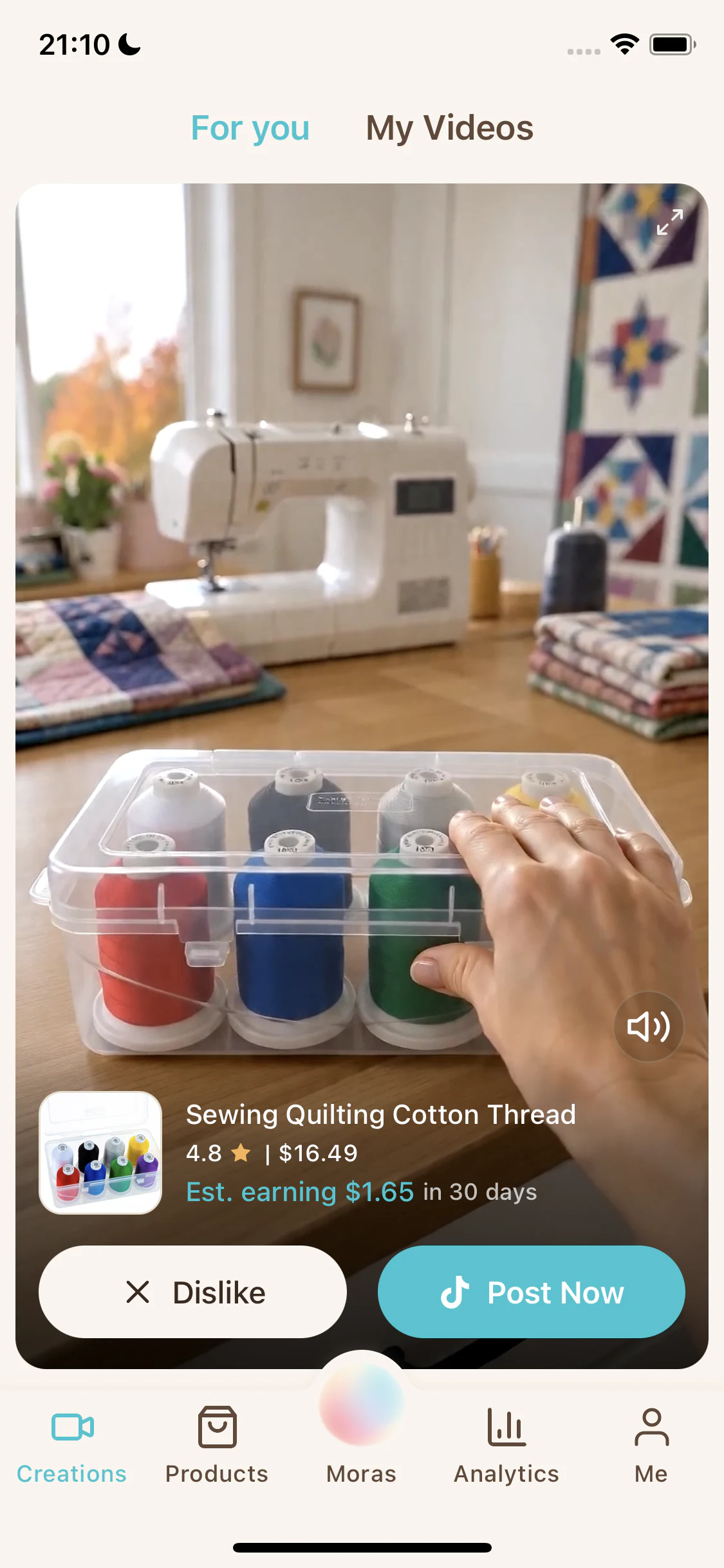
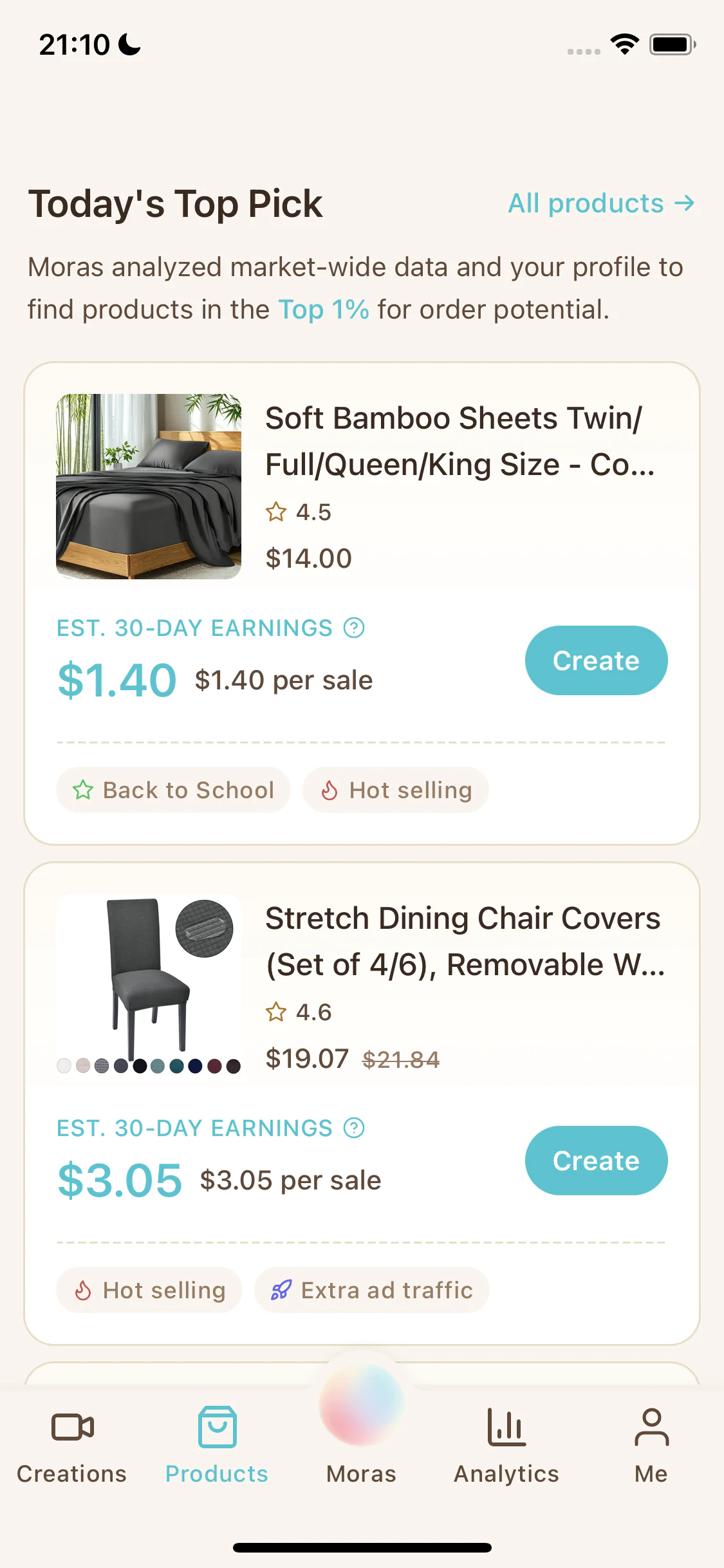
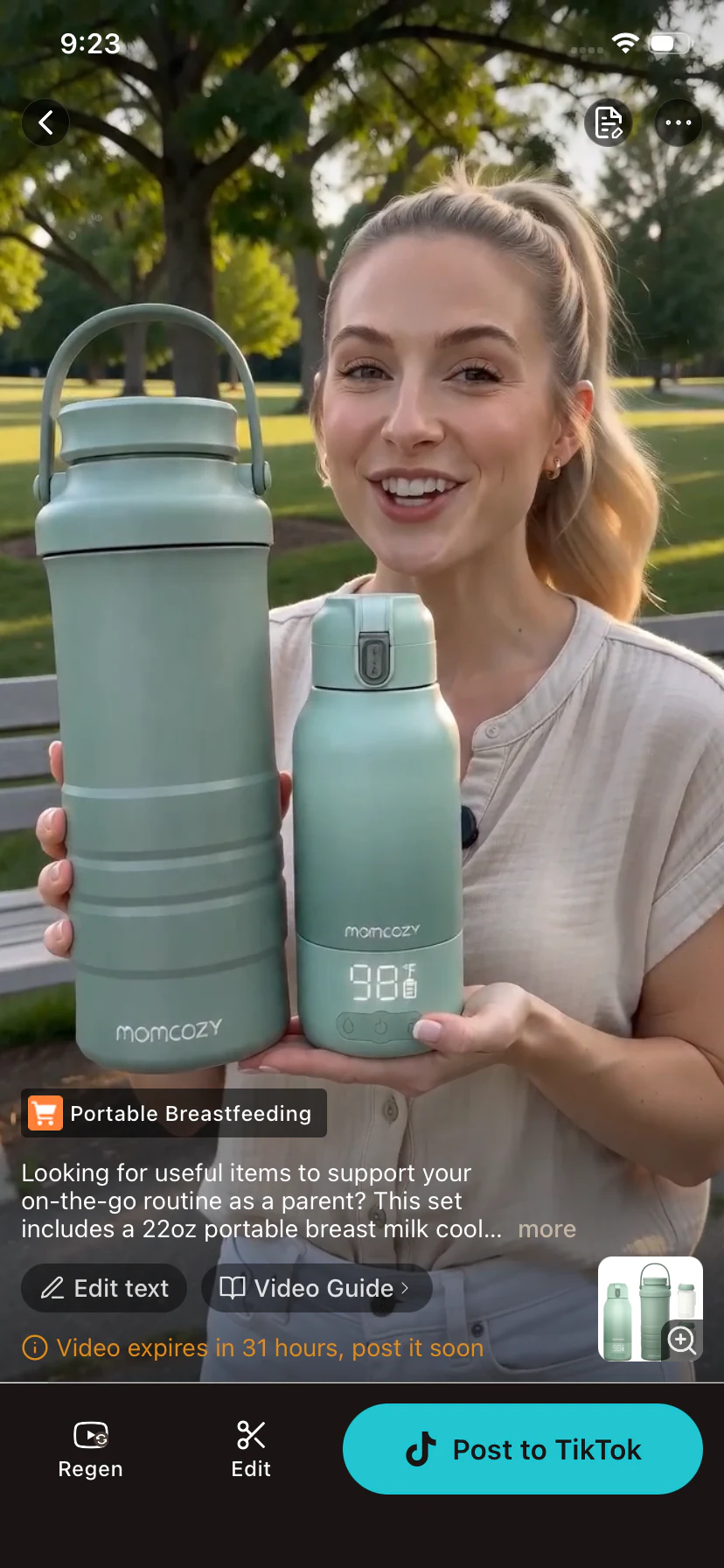
These interface examples show different products at separate stages. Their prices, estimates, and seasonal labels are historical, rather than current Black Friday offers.
For a new video, use the gift recipient or use case to guide your creation, following the options available in the app. Moras handles the script, visuals, voiceover, and editing. English and Spanish voiceovers are supported, and generation typically takes around five minutes, with timing varying by request. The scripts in this article are editorial templates, not a demonstration that Moras accepts an exact custom script or reproduces every proposed shot.
Review the result against the selected listing. Check the product's appearance, supported features, variant, and any offer mentioned. Moras prepares the product link, posting caption, and hashtags. After reviewing the required disclosures, confirm and publish from Moras when your TikTok Shop account permissions allow.
As checked on October 14, 2026, TikTok Shop requires disclosure for substantially AI-generated content and accurate product depictions. An AI illustration can explain a use case, but it does not establish a performance result.
Moras is free to use, with daily video-generation limits and no paid subscription. If you have selected your product and angle, follow the Black Friday video workflow to create your version and review it before posting.
Choose Your Next Version from the Response
Begin with one product and one of the angles above. Record the opener, language, posting date, and offer details alongside the results available in your TikTok Shop account.
If viewers watch but rarely open the product card, try making the recipient or use case clearer in the opening. If they click without ordering, review the listing, price, availability, and product fit before creating more versions. Treat these as questions to investigate rather than proof of a single cause.
Change one major element at a time where practical, such as the gift opener or the demonstration sequence. Small samples and changes in distribution or offers can affect the comparison. Compare affiliate video variations when you are ready to decide what to keep.
For your first Black Friday version, choose the example closest to your audience and product. Build a clear opening, a supported product explanation, and one buying action. If you need help joining those parts together, build a complete TikTok Shop video script.