@mikaylanogueiraView →
Recommended by TikTok Shop Academy
Generate Step-by-Step Tutorial Video for TikTok Shop
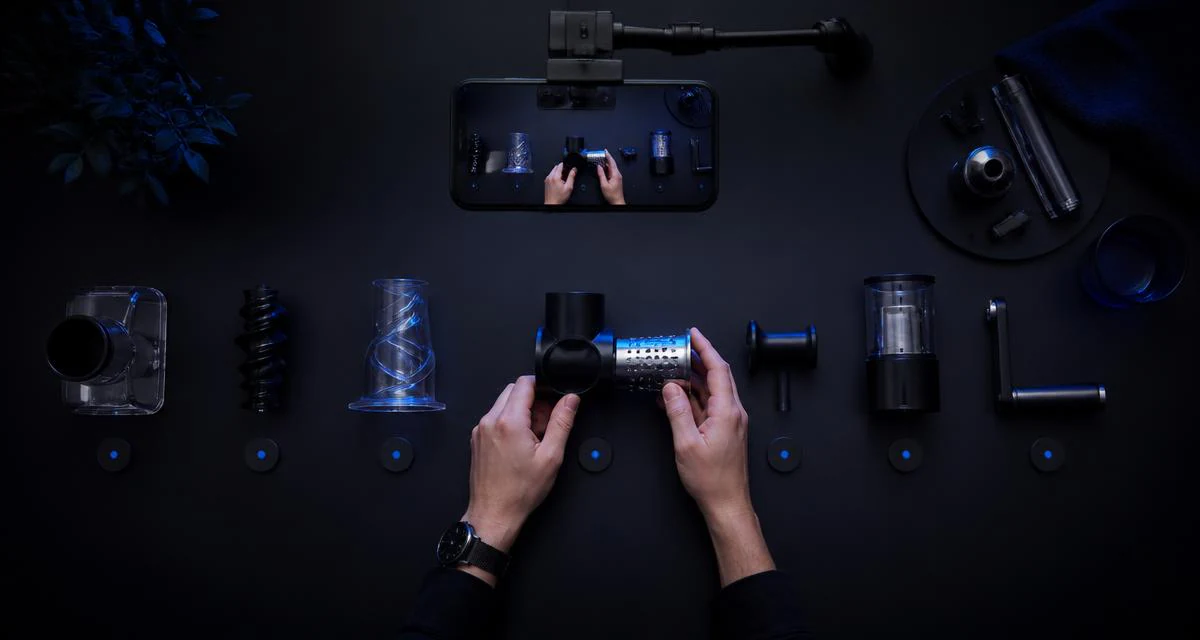
Buyers scroll past anything that looks like a manual. Film the key actions once and Moras compresses them into three to five numbered steps with on-screen labels, ending on the finished result so the product looks easy to live with.
STEP BY STEP
TUTORIAL
MORAS
Make yours with Moras — moras.ai
Start From A Winning Tutorial
Or tap a real TikTok Shop cut to rebuild it as a tutorial:
Swipe to explore examples
What Is a Step-by-Step Tutorial Video?
A step-by-step tutorial video answers the question that actually blocks the purchase: can I use this without reading a manual? You break the product down into three to five followable actions, show each one on camera in order, and end on the finished result. TikTok Shop Academy lists tutorial and DIY content among its recommended styles because it converts a browsing viewer into someone who has already rehearsed owning the thing. The discipline is compression. A manual has forty steps; a converting tutorial has four, numbered on screen, each one a single action with a visible outcome. Anything that isn't a decision the buyer has to make gets cut, and the product anchor goes right after the step where the product stops looking complicated.
Three-Step Quick How-To
18–25s · 9:16 — One continuous pass through the whole process — setup, action, result. Moras splits it into numbered chapters, writes each step line and holds on the finished state. Best for products that look complicated in photos but take under a minute in practice.
First-Time-User Walkthrough
25–35s · 9:16 — Your genuine first attempt, mistakes left in. Moras narrates the learning curve in your avatar's voice and closes on what you'd do differently. Best for higher-friction SKUs where the buyer's real fear is not being able to use it.
Right Way vs Wrong Way
20–28s · 9:16 — The same step performed badly, then correctly. Moras labels both passes, cuts on the difference and pins the fix as an on-screen callout. Best where misuse causes the bad reviews — application tools, appliances, hair devices.
The Step Everyone Gets Wrong
12–20s · 9:16 — A close-up of the single step your comments keep asking about. Moras opens on the question, answers it in one beat and re-anchors the product card. Best for reviving a tutorial that got reach but stalled on one recurring confusion.
Setup In Under Sixty Seconds
15–22s · 9:16 — A sped-up pass through unboxing to first use. Moras adds a running timer, reads the live price off the listing and ends on a CTA card. Best for launch windows where 'it's easier than it looks' is the whole pitch.
Multi-Part Skill Series
20–30s each · 9:16 — One clip per lesson, filmed the same way across sessions. Moras numbers the parts, keeps one voice and framing across them and links each SKU in order. Best for building a saveable library that keeps pulling traffic to the same storefront.
One Take, A Numbered Tutorial
Structure is the whole format. These are the three things Moras adds that a raw clip never has.
Chapters, Not A Continuous Blur
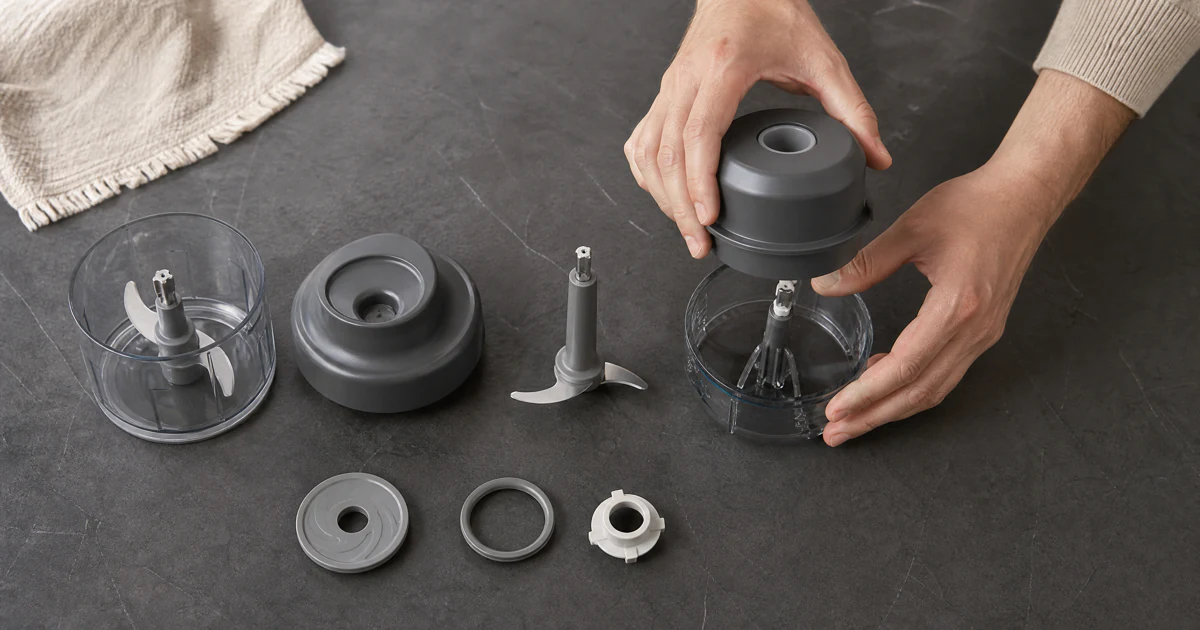
A viewer decides in the first two seconds whether a how-to is followable, and the signal they read is structure: numbered steps, a visible count, a promised end state. Moras watches your continuous take, finds the natural boundaries between actions, and cuts them into chapters with step numbers on screen — so the video looks learnable before anyone has learned anything.
Step Lines Written To Be Followed, Not Admired
Tutorial narration fails when it describes what is already visible. Moras writes each step as an instruction with the thing that is easy to get wrong attached — how long to hold it, which side faces up, what it should look like when it works. The lines are read by your bound avatar, so a six-part series sounds like one teacher instead of six.
Callouts And The Product Card In The Right Places
Moras pulls specs, measurements and price off the real TikTok Shop listing and pins them as callouts at the step where they matter, then anchors the product card after the result rather than before it. Captions land inside the safe area, the AIGC label and the paid-partnership disclosure attach on render, and the cut is saveable as published.
How It Compares
Same how-to, three ways to produce it — on speed, cost, clarity, and compliance.
| CRITERION | Moras Tutorial | Booked UGC Tutorial | Generic AI Video |
|---|---|---|---|
| TIME TO A FINISHED TUTORIAL | ~9 min for three cuts, once the step clips exist | 3–7 days for a briefed UGC how-to | Fast render, but no real product handling |
| COST PER SKU | Free to use; daily usage limits may apply | $80–$300 per tutorial, plus revisions | Cheap, but you write the steps yourself |
| STEP COMPRESSION | Manual reduced to 3–5 buyer-relevant actions | Depends on how well the creator was briefed | Not modelled |
| ON-SCREEN NUMBERED CAPTIONS | Generated and paced to be readable at native speed | Manual editing, often skipped | Generic burned-in subtitles |
| FACELESS HANDS-ONLY OPTION | Supported on any tutorial template | Depends on the creator | Stock hands that aren't holding your product |
| AIGC LABEL AND FTC DISCLOSURE | Attached automatically on render | Manual, and often forgotten | None |
Who it's for
Who Uses Tutorial Video
Same numbered-step workflow, four jobs — pick the lane that matches yours.
Affiliates Selling Products That Look Complicated
Removes the 'I couldn't use it' objection. Hair tools, kitchen gadgets, application kits. One take proving it takes ninety seconds does more than any adjective in the caption.
Sellers Cutting Support Tickets
Answers setup questions before they arrive. Turn the questions your inbox already receives into numbered cuts. Fewer confused buyers means fewer returns and better listing reviews.
Creators Building a Saveable Library
Compounds reach through saves and shares. Tutorials get saved, and saved videos keep resurfacing. Build a multi-part series on one SKUs and let it pull traffic for months.
Agencies Documenting a Client Catalogue
Standardises how-to coverage across accounts. One avatar per client, one tutorial template, every SKU documented the same way — labelled and disclosure-ready before hand-off.
How to Generate a Tutorial Video With AI
Three steps from a handful of phone clips to a shoppable walkthrough. You film the actions; the agents handle sequencing, script, voice, step captions, and disclosure. You end up with one chaptered how-to cut plus two shorter step clips, all captioned.
- 01
Film The Key Actions
3–5 seconds per step — the click, the pour, the twist, the switch. Any order, no script. Moras treats each clip as one step in the sequence and reorders them for you afterwards. - 02
Compress The Manual Into Three To Five Steps
Paste the product link and Moras reads the listing spec, drops the steps a buyer will not miss, and keeps the ones that decide whether the product feels easy. Forty instructions become four numbered beats that fit inside 45 seconds. - 03
Render With Numbered Steps
Your avatar narrates, step labels appear in order, the finished result closes the clip, the product anchor lands after the hardest step, and disclosures attach automatically. Three cuts arrive in under ten minutes.
Formats for Products That Need Explaining
A tutorial answers how. The other formats answer whether it works, what arrives in the box, and who is on camera.
Tutorial video, answered.
Three to five. More than that and viewers drop before the result. Moras reads the bound listing and keeps only the actions a buyer is actually unsure about, then pushes the rest to the caption.
Film It Once, Teach It In Steps
Open Moras, drop in your how-to take, paste the TikTok Shop link. Three tutorial cuts come back in about nine minutes — chapters, narration, callouts, captions, disclosure and affiliate link included.
No credit card required