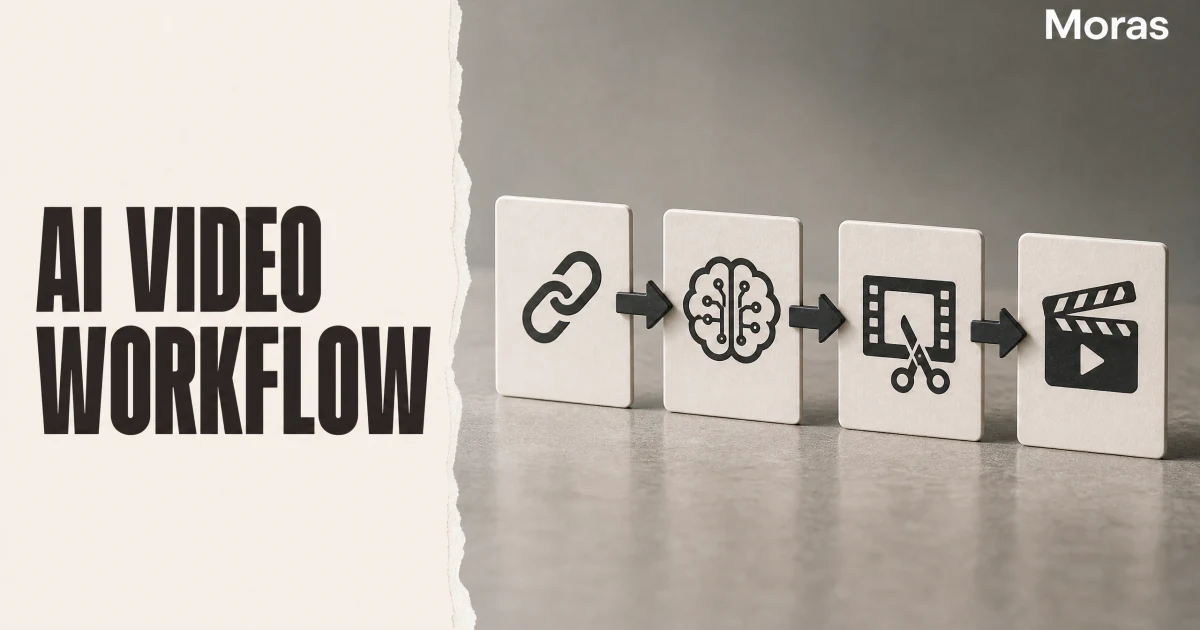
An AI e-commerce video workflow is a staged pipeline that turns a product URL into channel-native cuts you can publish, measure, and iterate — not a single "paste link, download MP4" button. Movie-style AI taught creators to think in themes, shooting scripts, and storyboards before generating clips. link-to-video tools taught merchants to skip straight to export. The durable approach merges both: structured staging from cinematic workflows, commerce constraints from product pages, and explicit gates before anything goes live on TikTok, Reels, Shorts, Amazon, or Meta. This article maps six stages, a failure-mode table, multi-platform publish rules, and fair comparisons of Pippit, Creatify, and Oumomo — without assuming one marketplace.
Written by Moras Team, based on analysis of cross-platform e-commerce video production patterns and public tool documentation as of August 2026.
- Stage 1 (Intake) builds a structured brief from the URL — price, claims, assets, margin, saturation — before any script runs
- Stage 2 (Angle) pairs proof type with format and hook mechanism. one angle card per variant, not ten random hooks
- Stage 3 (Script + storyboard) writes commerce blocks (hook, proof, objection, CTA) as shot-level direction, like a shooting script
- Stage 4 (Scene assembly) generates or edits beats individually. regenerate weak clips instead of discarding the whole cut
- Stage 5 (Compliance + packaging) audits claims, disclosures, and platform-specific product-link rules before export
- Stage 6 (Publish + readback) ships native aspect ratios per channel and logs product clicks — not just views — into the next batch
Why Paste-Your-Link Tutorials Are Not a Workflow
Search product link to video or AI ecommerce video workflow in 2026 and the SERP splits into two traps. The first is a speed demo: paste an Amazon or Shopify URL, wait sixty seconds, download a vertical ad. The second is a film-school article — theme, shooting script, storyboard, cinematic render — with no mention of claim audits, FTC disclosure, or why your Reels cut needs different pacing than your TikTok Shop post.
Both miss the operational problem. Catalog operators need variant cadence: multiple angles per SKU, readable proof on a phone screen, and performance data that feeds next week's brief — across TikTok, Instagram Reels, YouTube Shorts, Amazon product video slots, and paid Meta placements. That requires staged handoffs with defined inputs and outputs, not one generate button that treats a kitchen gadget like a sci-fi rescue scene.
Pippit's AI movie workflow gets the staging right: idea → shooting script → storyboard → clip generation → transitions → final render → publish. Creatify's URL-to-video flow gets commerce intake right: scrape listing metadata, draft ad scripts, batch variants for A/B tests. Oumomo's link-to-video engine optimizes for shoppable short-form at volume. None of them replaces the human gates at angle selection, compliance, and readback — but each maps cleanly to stages in a single pipeline.
Borrow cinematic structure. Reject defaults that optimize mood over proof, or export speed over claim accuracy.
What an AI E-Commerce Video Workflow Actually Is
Definition (snippet-ready): An AI e-commerce video workflow is the full process of converting a product URL into one or more platform-native video assets through six connected stages — intake, angle, script and storyboard, visual assembly, compliance packaging, and publish with readback — where AI handles generation inside stages but humans own decisions at stage boundaries.
A link-to-video tool collapses stages 1–4 into one prompt. A pure cinematic workflow optimizes mood without product-link match or disclosures. The merge point is the storyboard: film-style panels (shot, timing, camera) filled with commerce beats — hook, proof, objection, CTA — using verbatim listing claims, not invented superlatives.
If you need orchestration across research, compliance memory, and feedback loops — not just this production checklist — see our AI commerce agent for e-commerce guide, which owns *how context travels* between tools. This article owns *how a single SKU moves from URL to published cut*.
The Six Stages at a Glance
Every marketplace uses the same production skeleton. only compliance rows and publish connectors change.
| Stage | Input | Output | Solo time budget | Primary metric |
|---|---|---|---|---|
| 1. Link intake | Product URL + margin context | Structured brief | 5–10 min/SKU | Brief completeness |
| 2. Angle selection | Brief + proof type | Angle card (format, hook, shots) | 10–15 min/variant | One proof hypothesis |
| 3. Script + storyboard | Angle card | 15–45s script + shot list | 15–25 min/variant | Hook–claim alignment |
| 4. Visual assembly | Storyboard + assets | Beat-matched cut | 15–40 min manual / 3–10 min AI-assisted | Beat-to-visual match |
| 5. Compliance + packaging | Render + script | Channel-ready exports | 5–15 min/variant | Zero policy flags |
| 6. Publish + readback | Exports + product links | Live posts + log entry | 5 min/post + 48–72h wait | Product click rate |
The sections below define "done" at each row. The failure-mode table later maps symptoms back to the stage where they originate — fix upstream first.
Stage 1: Link Intake — from URL to Production Brief
Link intake is where operators lose hours without noticing. They paste a URL into a generator and hope the model infers the right angle. Generators can draft from listing copy, but they cannot infer return risk, margin headroom, or which claims the brand already makes in the title — unless you capture them first.
Build a brief from every product link: Shopify PDP, Amazon ASIN, TikTok Shop showcase URL, or wholesale sheet with images attached. Capture six fields: product name and price band, top three listing claims verbatim, available visuals (packshots, lifestyle, UGC, supplier demo), margin and return signals, category compliance flags (supplements, cosmetics, electronics), and saturation signal (rough count of recent competitor videos on the SKU).
A brief for a $24 collapsible colander might read: price $22.99–24.99. claims "saves cabinet space" and "BPA-free". assets = packshot plus in-sink demo clip. margin healthy, elevated returns in category. moderate video saturation (mostly organization hooks). Stage 2 avoids another pack-with-me clone. stage 5 avoids implying it replaces a full-size colander.
Tools differ at intake depth. Creatify scrapes URLs via API (POST /api/links/) and returns structured title, description, and image arrays for script generation, per Creatify's URL-to-video documentation. Oumomo accepts TikTok Shop and third-party research links, extracting selling points for shoppable scripts, per Oumomo's link-to-video page. Pippit intake in Film Maker starts from theme plus reference images rather than commerce URLs — stronger for cinematic product stories, weaker as a pure catalog scraper unless you pair it with manual brief paste from Seller Central or your PDP.
Intake is not optional even when the tool auto-scrapes. Human review of claims and economics prevents stage 5 rework.
Stage 2: Angle Selection — Format, Hook, and Proof Type
Angle selection is the decision most link-to-video tutorials skip. They jump from URL to script — how you end up with a testimonial hook for a gadget that sells on a ten-second demo, or a cinematic mood piece for a SKU that needs price clarity in the first three seconds.
Use three inputs from the brief. Proof type: visible result, single-function demo, or external validation (reviews, certifications). Buyer awareness: novel category or saturated hook landscape? Channel signal target: completion and saves on organic TikTok, thumb-stop on Meta ads, or silent-readable demo on Amazon video slots.
Write an angle card — one page per variant. Fields: primary format, hook mechanism, proof shots required, target channel, and explicit anti-angle (what you will not do this batch). The anti-angle stops trendy formats that do not match the SKU when you batch twenty URLs on Monday.
Run two to three angle cards per hero SKU per week, changing one variable while holding product and posting window constant. Angle selection is where workflow beats talent: the same listing URL can become a demo-reveal cut for Reels, a price-anchor hook for TikTok Shop, and a silent product spin for Amazon — but only if you decide that before stage 3, not after export.
Stage 3: Script and Storyboard — Commerce Shooting Script
Stage 3 is where movie workflows and commerce workflows meet — and diverge.
Pippit's shooting script describes mood, camera movement, and scene flow for narrative film. Commerce scripts describe spoken and on-screen commerce in four blocks, usually fifteen to forty-five seconds depending on channel:
| Block | Time | Job | Storyboard note |
|---|---|---|---|
| A — Hook | 0–3s | Interrupt scroll | Hero product or scale surprise. vertical safe zone |
| B — Proof | 3–15s | Substantiate claim | Demo, before-after, feature callout |
| C — Objection | 12–25s | Reduce skepticism | Size reference, review snippet, comparison |
| D — CTA | last 3–8s | Drive click | Price anchor, offer, product link cue |
Write the hook first, then map each block to a storyboard row with shot description, duration, and asset source (listing image, AI scene, stock B-roll). Feed AI drafts the angle card and verbatim listing claims. block health guarantees, unsupported superlatives, and before-after language you cannot substantiate.
Mirror hook keywords in the first caption line and on-screen text — platforms index both heavily in commerce content as of 2026. TTS and avatar voice work when sentences sound spoken: short lines, one idea each, pause markers where the visual carries proof.
Pippit's Shooting Script tool is the reference implementation for storyboard-first generation: theme → structured script → panel review → per-clip generate. Commerce teams should replace "Moon Colony Rescue" themes with SKU-specific themes like "cabinet space rescue" and replace dramatic dialogue with proof-led narration — same staging, different copy rules.
Stage 4: Visual Assembly — Scene Blocks Without the Movie Trap
Treat the storyboard as a beat timeline, not an aesthetic reel.
Assemble in the aspect ratio you chose at intake — 9:16 for TikTok, Reels, and Shorts. 1:1 or 4:5 where Meta feed placements demand it. 16:9 only when the destination truly uses horizontal (YouTube product demos, some Amazon slots). Match lighting and color grade across beats so AI-generated scenes do not look like four different ads stitched together.
Regenerate weak clips individually — like re-rendering one storyboard panel in Pippit — instead of discarding the whole video. Hard cuts between proof beats usually beat cinematic transitions on demo SKUs. save slow fades for aspiration categories where mood supports price.
Hybrid flows are normal: AI baseline from the link, human swap on the hook frame and the proof beat that failed readability on mobile. The movie trap is over-producing continuity you do not need — matching wardrobe across scenes when the buyer only needs the collapse mechanism readable at arm's length.
Creatify excels here for batch variant generation: same link object, different visual_style and script_style parameters in the link-to-video API, per Creatify's link-to-video API reference. Oumomo emphasizes model choice (Seedance, Sora, Veo, Kling) for product motion from stills or links. Pippit emphasizes per-clip regenerate and "Render entire video" after panel review — strongest when you need scene continuity for brand films or cinematic product stories.
For TikTok Shop affiliates who want a dedicated no-camera production fork inside this stage, our faceless TikTok Shop video guide compares four render paths — voiceover, screen demo, sourced UGC, and link-to-video automation — that plug into stage 4 without redefining the full cross-platform workflow here.
Stage 5: Compliance and Platform Packaging
Compliance is a stage, not a footnote. Rules differ by channel, but the audit structure is shared.
Run five checks before export:
Claim audit — every superlative traceable to listing copy or substantiation files. Disclosure — FTC-aligned material-connection language on commission content. paid partnership labels where Meta or TikTok require them, per the FTC Endorsement Guides FAQ as of August 2026. Synthetic media — label realistic AI presenters and voices where platform policies require it (TikTok Shop AIGC rules for US creators, Meta ad policies for synthetic actors). Category red lines — no guaranteed health outcomes, earnings claims, or fabricated reviews. Link match — on-screen SKU equals attached product link. audio from commercial libraries where the marketplace requires it.
Package exports per destination: burned-in captions for silent-first feeds, safe-zone overlays for UI chrome, thumbnail frame for YouTube, and separate CTA end cards for paid placements. One master cut cropped three ways is faster but usually loses hook readability — budget time for per-channel trims in stage 5, not rushed crops at publish.
Stage 6: Multi-Platform Publish and Readback
Publish is where cinematic workflows and commerce workflows fully reunite. Pippit supports scheduling posts to TikTok, Facebook, and Instagram from the render screen, per its movie workflow documentation. Commerce operators extend that pattern across every channel where the SKU already sells.
| Channel | Typical aspect | Link behavior | Readback metric |
|---|---|---|---|
| TikTok / Reels / Shorts | 9:16 | In-post product link or bio landing | Product clicks, add-to-cart events |
| Meta ads | 9:16 or 1:1 | Catalog or PDP URL in CTA | CTR, CPA, ROAS |
| Amazon listing video | 16:9 or 1:1 per slot | On-page — no off-site link | Conversion rate lift vs static |
| Shopify / DTC social | 9:16 organic. 1:1 retargeting | UTM-tagged PDP | Sessions, ATC, revenue |
Log each post: date, SKU, angle card ID, hook mechanism, channel, views at forty-eight to seventy-two hours, product click rate, and revenue or commission if visible. Views without clicks mean hook or format failed. clicks without conversions often mean PDP or offer mismatch — not a stage 4 render problem.
Readback feeds stage 1 on the next batch. Workflow maturity is measured by how fast click data rewrites next week's angle cards, not by how many links you pasted into generators.
Failure Modes and Fix Paths by Stage
When symptoms span stages, fix upstream first — a stronger hook on the wrong format still loses.
| Stage | Failure mode | Symptom | Fix path |
|---|---|---|---|
| 1. Intake | Thin brief | AI invents claims. compliance fails later | Pull listing claims verbatim. scan reviews for red flags |
| 1. Intake | Wrong SKU economics | Clicks look fine. margin erodes on returns | Kill SKU. tighten intake margin rules |
| 2. Angle | Format mismatch | High views, zero product clicks | Re-select format by proof type before rewriting hook |
| 2. Angle | Hook mismatch | Strong completion, weak clicks | Change mechanism — curiosity vs demo vs social proof |
| 3. Script | Hook overpromise | Angry comments. clicks collapse | Rewrite block A to match provable visual in B |
| 3. Script | Storyboard drift | Clips feel random | Re-align each panel to script block before regenerate |
| 4. Visual | Unreadable demo | Watch time dies mid-proof | Re-shoot proof beat only. keep CTA block |
| 4. Visual | Homogenized AI look | Reach drops after batch | Swap hook frame. vary caption and first-frame text |
| 5. Compliance | Missing disclosure | Policy flags or suppressed delivery | Add visible disclosure in first 3s + caption. re-export |
| 5. Compliance | Claim overshoot | Ad rejection or listing review | Strip superlatives. align to listing copy only |
| 5. Packaging | Wrong aspect crop | Hook text under UI chrome | Re-export with platform safe zones |
| 6. Publish | Weak anchor text | Lower bag or link taps | Short action CTA ("Shop colander — link in bio") |
| 6. Readback | Optimizing for views | "Winning" videos, no revenue | Promote product click rate to primary KPI |
| 6. Readback | No iteration | Same hook despite flat clicks | Rotate angle cards. cap losing SKU at five tests |
Where Pippit, Creatify, and Oumomo Sit in the Pipeline
Fair comparison requires stage coverage, not feature bullet counts.
Pippit is strongest when you want cinematic staging end to end — Shooting Script, storyboard review, per-clip generation, transitions, full render, and native publish hooks. It fits brand films, cinematic product stories, and social cuts where scene continuity matters. It is weaker as a headless catalog factory unless you manually bridge commerce URLs into the theme step.
Creatify is strongest when you want URL-in, variant-out ad production for ecommerce PDPs and paid social — link scraping, script styles, batch modes, and API automation for teams running dozens of SKUs through Meta and TikTok ads. It fits performance marketers who already own PDP quality and need creative volume. It is weaker when you need deep storyboard control on a single hero film.
Oumomo is strongest when you want shoppable short-form velocity — paste a TikTok Shop or product link, pick a video model, export a vertical cut tuned for seller workflows, with optional viral-remake patterns from competitor videos. It fits TikTok-forward catalogs and sellers optimizing for Shop-native publishing. It is narrower on horizontal Amazon slots and multi-channel compliance packaging unless you export and finish elsewhere.
None of the three replaces stages 2, 5, or 6. Pick the tool that minimizes friction on your bottleneck stage. keep the same six-stage checklist regardless.
Scaling from Hero SKUs to a Repeatable Pipeline
Three habits move operators past two videos per week: batch by stage (intake Monday, angles Tuesday, script and storyboard midweek, compliance Thursday, publish Friday — not context-switching per video). cap parallel hero SKUs (two products until product click rate stabilizes). automate inside stages, not across gates (link-to-video AI for stages 3–4 when briefs are solid. human approval at 2 and 5).
An AI commerce agent can wire stages together with memory — research signals feeding angle cards, compliance flags persisting per SKU — but agents do not remove disclosure review or claim audits. Spreadsheets plus CapCut still run the same six stages if you enforce the tables in this article.
Start with one SKU, one channel, three angle cards. Publish. Log product clicks at seventy-two hours. Change one stage-2 variable next batch. That loop is the workflow — everything else is tooling.
How We Researched This
Sources: Pippit AI movie workflow docs, Creatify and Oumomo product pages, FTC Endorsement Guides FAQ, TikTok Shop and Meta policy summaries (August 2026). Internal analysis: ~90 shoppable/paid cuts across home, beauty, and electronics on TikTok, Reels, and Meta ad libraries (Q2–Q3 2026), compared at product-click rate.
This workflow sits inside the broader TikTok video formats framework, while the UGC-specific branch is organized in the AI UGC content creator guide.
Conclusion
An AI e-commerce video workflow turns product links from one-off generator outputs into six connected stages: intake, angle, script and storyboard, visual assembly, compliance packaging, and multi-platform publish with readback. Movie-style AI supplies the staging discipline. link-to-video tools supply catalog speed. your gates supply the commerce logic — proof over mood, claims over creativity, clicks over views. Run the pipeline once on a single hero SKU. Log product clicks at seventy-two hours. Let readback rewrite next week's angle cards before you buy another subscription.
Once the brief and compliance gates are clear, , then keep the human review steps in this workflow before publishing.